From customer ticket to MSP resolution — automatically
When a customer’s ticketing system raises a ticket that the MSP needs to resolve, it’s sent to Synchronize365 over a documented REST API. Configurable rules map and translate it into a standard ticket in the MSP system — as if it had been entered there directly. Because the integration is bi-directional, the same applies in reverse.
Connect
The customer’s ticketing system sends new incidents and service requests to Synchronize365 over a secure, documented REST API pathway.
Map & translate
Configurable rules translate each ticket into a standard MSP ticket — including categories and assignment groups — tailored per customer.
Stay in sync
As either side updates a ticket, status and details flow back automatically, so both systems always reflect the current state.
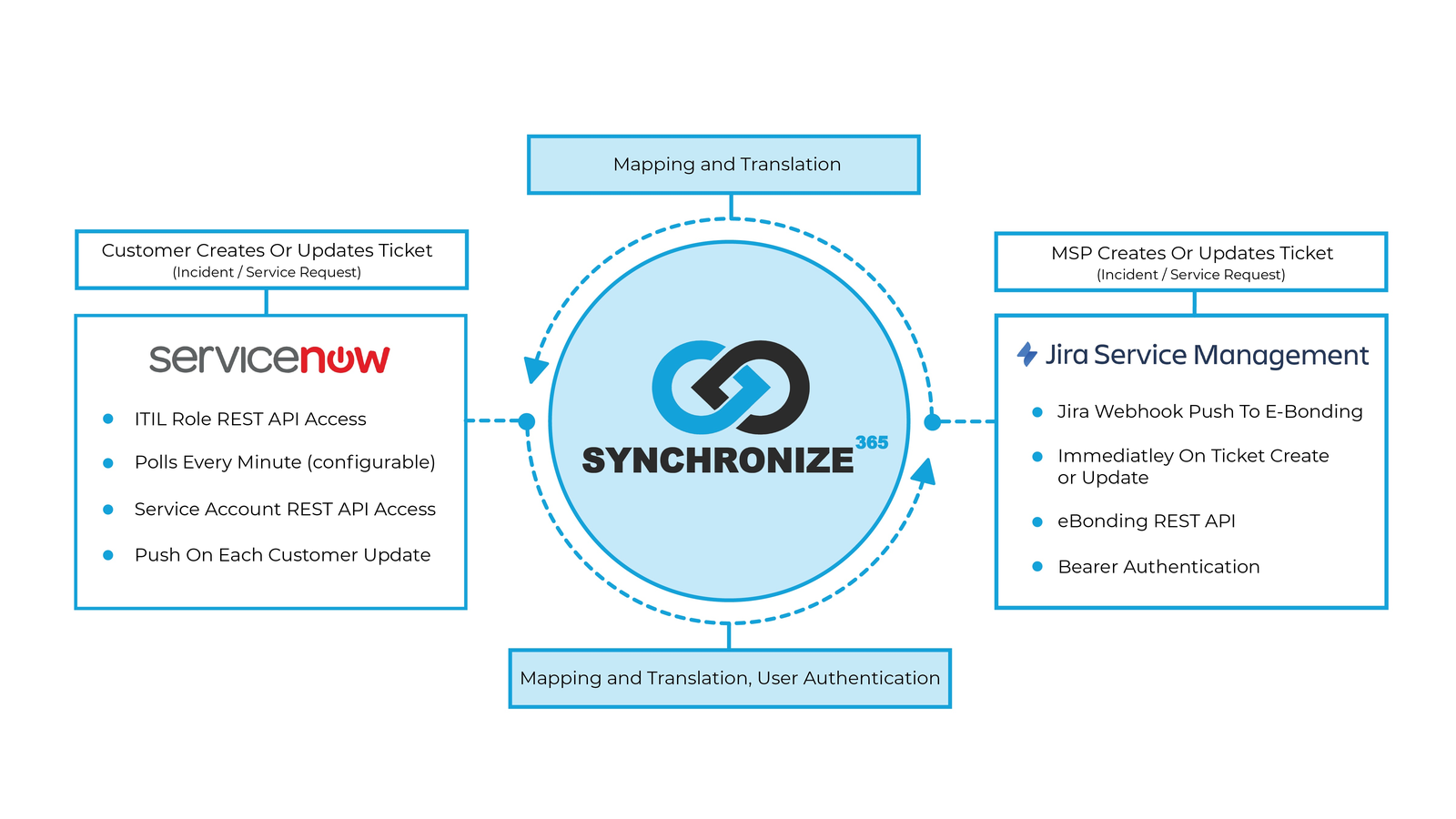
Both sides, kept in sync
Each side connects in the way that suits it best. On the customer side, Synchronize365 can poll on a configurable interval or receive a push on every update. On the MSP side, a webhook fires the moment a ticket is created or updated.
- Customer sideITIL-role and service-account REST API access; polls every minute (configurable) and pushes on each customer update.
- MSP sideWebhook push to eBonding, firing immediately on ticket create or update, via the eBonding REST API.
- In the middleSynchronize365 handles mapping, translation, and user authentication for traffic flowing both ways.
Create, view, update — plus attachments
Synchronize365 exposes a documented ticketing API so customers can create, view, and update incidents and service requests, with full attachment management. Authentication uses a bearer token over SSL.
/api/ebond/v1/incident
Create a new incident or service request from the customer ticketing system.
/api/ebond/v1/incident/{id}
Retrieve the current status, details, and notes of an existing ticket.
/api/ebond/v1/ticket/{ticketNumber}
Update status, notes, or details — including close notes on resolution.
/api/ebond/v1/attachment/{ticketNumber}
Upload, download, and list attachments associated with a ticket (Base64).
Endpoint paths shown are illustrative of the documented eBonding API. Full API documentation, including JSON request and response formats, is provided to customers during onboarding.
Let’s map your integration
Share the ticketing systems on each side and we’ll walk you through the eBonding setup.
Request a demo →